What’s Observability
This is a not a common word that we use in daily life. But actually it’s common & important concept in many places, outside of software development. Let’s say you are a leader of a company, off course you want to be 100% aware of what’s going on in your firm, that where obervability plays its role.Since you are a single human being, it will be impossible for you to check everything. So there will be key numbers that your team give you once a while, i.e profit, revenue. For those important project, you also want to understand what’s the progress. That’s when you receive daily/weekly reports from your team, on what’s going on within the project.And if it’s moving slower than your thought, probably you want to understand the reason. In this case, you may need to review their timeline/effort, to figure out what’s the blocker.This is a realworld example of obersevability, in the world of software development, we have very similar concept, with a given name of each one. Those key numbers like profit, revenue are called metrics, where we can have throughput, traffic, request per minute, etc. Weekly report from your team is called log, that software will record what’s done in the past. When you face issue such as slow response in software world, the best place you can check is trace, where you can find the propagation of each request inside of a complex system, to understand what’s the part that went wrong.
Why Observability is Important
You may argue that, I can always log into my host and check what’s going on with my application, why do I need to build such a complicated system? You are right in same cases, continue from the example we had in previous session, if the company you own is a small company, that it only has 1 employees. Then it doesn’t make sense to ask your only employee to report you everything, you can always check by yourself, and you should always do that because it won’t cause any big effort for you to understand what’s going on with your company and your own employee. Same for application, if you only have a simple application running on a single machine, with 10 users, then it makes no sense for you to build a observation framework, which may cost you more time than build your application. But this is usually not the case for most production applications.(we don’t build our app for 10 ppl right?) Even some applications they started with small user base and simple feature, they will grow over time. With more users onboarded, more features will be developed and eventually more machines will be required to handle the traffic. Therefore, our 2 ppl company eventually grows to an international firm, with 10k employees and 15 offices across the world. Now, as the leader of the firm, you can go to every office to check what’s going on, that’s why we need observability. Back to our application, with more machines being used, we can’t log in each of the machine to see if our service is running or check the log. So what do we need? Oberservability!
Overview of observability
What do we actually want to observe? Let’s imagine we are the developer of a system which contains 10 different microservices, each service has multiple instances running on machines in different data center across the world. The first thing when we came to office, off course it will be getting a cup of coffee. But once we have coffee in the hand, we will want to check if all of the services are running fine, yes, at least we want to make sure that they are running. Therefore, we will need to have a nice dashboard, with all important metrics: health status, taffic, processing lag, etc. This is the first pillar of observability - metrics.They are core stats that indicate the status of our application. With a glimpse of it, developer will know that if they can finish their coffee with some morning news. Then, off course things will go wrong. A naughty user may send some weird request, that can not be handled by the system. Now we want to understand what happened with that single request. In old time, we will have to check this request is processed by which machine, then we need to log in that machine, and grab the log file, and read through it. Usually it will be a painful process that I need to do it with at least two cups of coffee or maybe a shot of whisky. That why the second pillar of observaility - log is important. With proper logging set up, we can find logs of any event with no effort, because they are collected at a central place which supports search, for example elastic search. Finally, let’s say it’s a bad day today. After we figured out why that request was stuck and blocked that user, we noticed the lag of our processes doubled. If there is no proper observability framework in place, the only thing we could do is blame the cloud provider. But if we have the 3rd pillar - trace, it will be easy for us to figure out which part of our system is not working properly. Trace records the whole journey of a request through oußr system - 10 different microservices. It also knows what’s the order of its journey and how long does it take for each single microservices to process it and pass it to next part. With that in our hand, now we can say it is indeed cloud provider’s fault, with more confidence. Because we saw the service which retrieves data from cloud hosted database is slower than usual. So, back to our topic - Metrics, Log, Trace forms the important triangle of observability. Each of them has its own purpose and can not replaced by others.
Tools and Frameworks in Java for observability
Open Telemetry Java Agent
Open telemetry java agent is a simple, out-of-box agent that can collect and export metrics, log and trace of your application. Check this link for docs: https://opentelemetry.io/docs/zero-code/java/agent/getting-started/ But basically, you only need these steps:
- download java agent jar from official website
- config JVM to run that jar as an agent with your application
- add necessary config such as service name, etc.
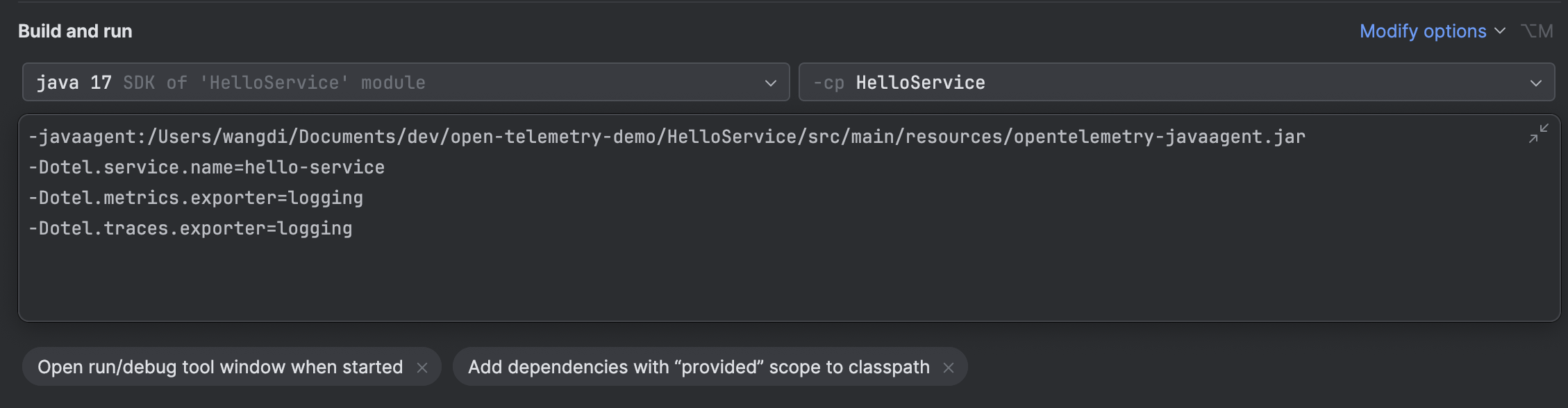
config of otel java agent
Here, this agent will export all log, trace and metrics to somewhere, we must set up the destination, which is called collector. In actual service, it will be something like prometheus. But here in this simple demo, we can just set it export everything to console. In this case, we will see our metrics printed in console like below.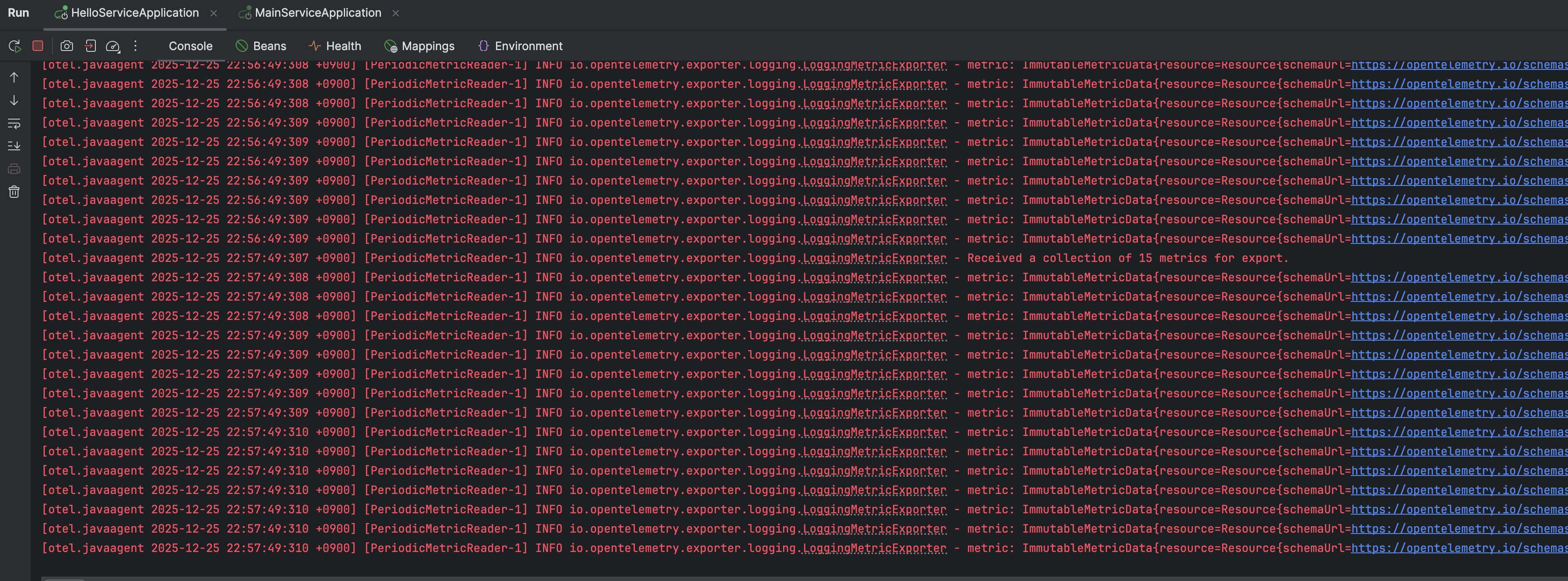
All metrics printed in console
If we set up our prometheus as a separate service and let our java agent export data to it. We will have all log, trace and metics from our application collected at prometheus.
docker run -d \
  --name prometheus-server \
  --network monitoring-net \
  -p 9090:9090 \
  -v "$(pwd)/prometheus.yml:/etc/prometheus/prometheus.yml:ro" \
  prom/prometheus


docker run -d \
  --name grafana \
  --network monitoring-net \
  -p 3000:3000 \
  -v grafana-storage:/var/lib/grafana \
  grafana/grafana-oss
prometheus.yml
# Global settings for the scraper
global:
scrape_interval: 15s # Scrape every 15 seconds
# A list of targets to scrape
scrape_configs:
# 1. Prometheus Server itself
- job_name: 'prometheus'
# Targets usually run on the container's localhost
static_configs:
- targets: ['localhost:9090']
# 2. Your Local Application (e.g., FastAPI/Spring Boot)
# IMPORTANT: 'host.docker.internal' is a special hostname used by Docker Desktop
# on macOS to reference the host machine's IP address.
- job_name: 'otel-java-agent'
static_configs:
# If your app runs on port 8000 on your macOS machine:
- targets: ['host.docker.internal:9464']
metrics_path: '/metrics'Then in java application, update runtime config to let it export metrics to promethus
-javaagent:/Users/wangdi/Documents/dev/open-telemetry-demo/HelloService/src/main/resources/opentelemetry-javaagent.jar
-Dotel.service.name=hello-service
-Dotel.metrics.exporter=prometheus
-Dotel.exporter.prometheus.port=9464
-Dotel.traces.exporter=logging
This will export metrics at localhost:9464/metrics endpoint. Then we can config promethus to scrape this endpoinnt to get all metrics data.
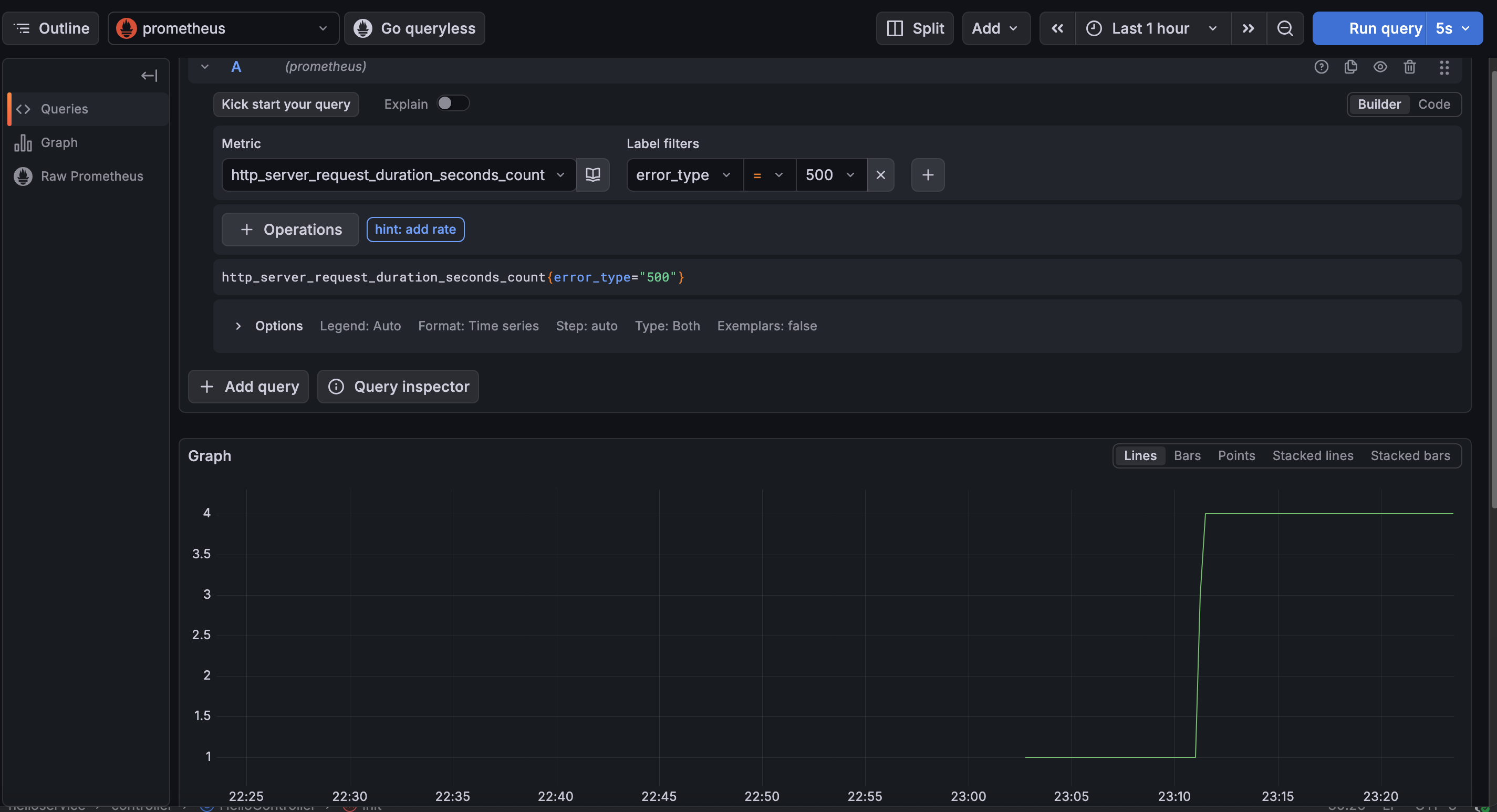
Export metrics data collected by java agent to promethus
Open Telemetry Api for custom metrics
We can also use Open Telemetry Api to introduce and instrument our own custom metrics. Take a simple counter as example, below steps are required:
- import java dependency
<dependency>
  <groupId>io.opentelemetry</groupId>
  <artifactId>opentelemetry-api</artifactId>
</dependency>- define a custom metrics(i.e. counter)
    private LongCounter counter;
    @PostConstruct
    public void init() {
        logger.info("MainController initialized, ready to handle requests.");
        counter = GlobalOpenTelemetry.get()
                .meterBuilder("my-custom-instrumentation")
                .setInstrumentationVersion("1.0.0")
                .build()
                .counterBuilder("my.custom.counter")
                .setDescription("A custom counter for demonstration purposes")
                .setUnit("1")
                .build();
}- Then we can use counter we created
    @GetMapping("/hello")
    public String hello() throws InterruptedException {
        logger.info("traffic reached Hello Service");
        Thread.sleep((long) (Math.abs((random.nextGaussian() + 1.0) + 100.0)));
        Thread.sleep((long) (Math.abs((random.nextGaussian() + 1.0) + 100.0)));
        counter.add(1, Attributes.of(AttributeKey.stringKey("my.custom.key"), "my.custom.value"));
        if(random.nextInt(10) < 2) {
            throw new RuntimeException("Simulated error in Hello Service");
        }
        return "Hello from Hello Service!";
    }
Now we can see counter in our metrics export, also in prometheus and grafana.
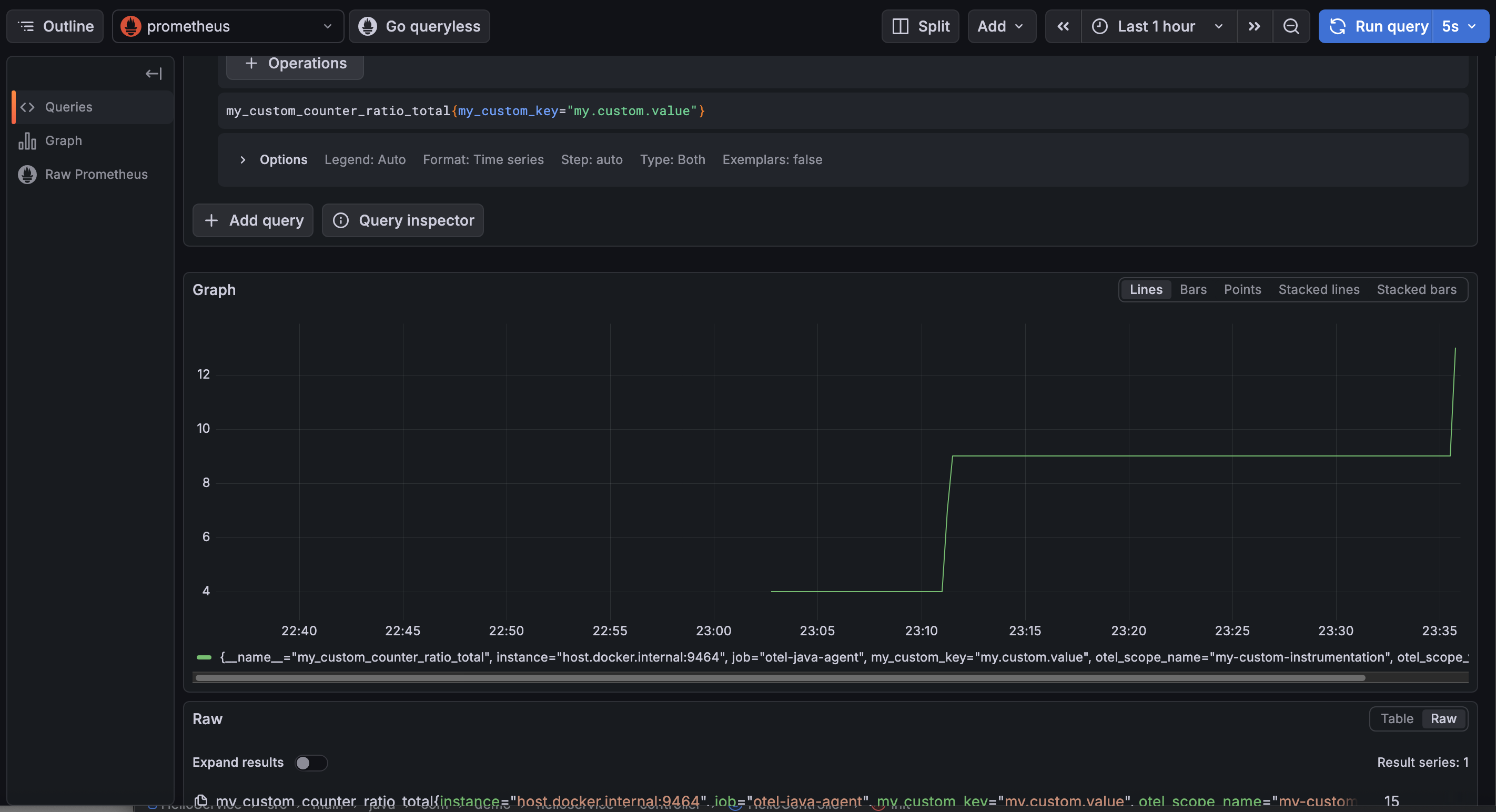
Custom Counter by Otel Api
How to create custom metrics with spring actuator & micrometer and export it to OTLP java agent?
- import dependency
        <dependency>
            <groupId>org.springframework.boot</groupId>
            <artifactId>spring-boot-starter-actuator</artifactId>
</dependency>- injest MeterRegistry and create & register a new counter
    private final Counter micrometerCounter;

    public HelloController(MeterRegistry meterRegistry) {
        this.micrometerCounter = Counter.builder("micrometer.requests.count")
                .tag("type", "retail")
                .description("The number of orders placed in the system")
                .register(meterRegistry);
}- Then we can use it in actual place
micrometerCounter.increment();- Config java agent to take micrometer metrics
-Dotel.instrumentation.micrometer.enabled=trueNow we can see our micrometer counter exported by otlp java agent.
Custom Counter created by spring micrometer
Integration - Spring Actuator + Springboot 3 + OpenTelemetry + Loki + Tempo + Prometheus + Grafana
Dependency for spring app
    <dependencies>
        <dependency>
            <groupId>org.springframework.boot</groupId>
            <artifactId>spring-boot-starter-actuator</artifactId>
        </dependency>
        <dependency>
            <groupId>org.springframework.boot</groupId>
            <artifactId>spring-boot-starter-web</artifactId>
        </dependency>
        <dependency>
            <groupId>io.micrometer</groupId>
            <artifactId>micrometer-tracing-bridge-otel</artifactId>
        </dependency>
        <dependency>
            <groupId>io.opentelemetry</groupId>
            <artifactId>opentelemetry-exporter-otlp</artifactId>
        </dependency>
        <dependency>
            <groupId>io.micrometer</groupId>
            <artifactId>micrometer-registry-prometheus</artifactId>
            <scope>runtime</scope>
        </dependency>
        <dependency>
            <groupId>com.github.loki4j</groupId>
            <artifactId>loki-logback-appender</artifactId>
            <version>1.4.1</version>
        </dependency>
    </dependencies>
Then in application.yml, we need to config where to send trace, log and metrics
spring:
  application:
    name: my-otel-service

management:
  endpoints:
    web:
      exposure:
        include: health,info,metrics,prometheus
  tracing:
    sampling:
      probability: 1.0  # 100% sampling for dev; lower for production
  otlp:
    tracing:
      # Default endpoint for OTel Collector / Jaeger OTLP receiver
      endpoint: "http://127.0.0.1:4318/v1/traces"
  metrics:
    distribution:
      percentiles-histogram:
        http.server.requests: true

logging:
  level:
    io.opentelemetry: DEBUG
    io.micrometer.tracing: DEBUG
  pattern:
    # OTel TraceIDs are 32 chars long (vs Brave's 16/32)
    level: "%5p [${spring.application.name:},%X{traceId:-},%X{spanId:-}]"
We also need to config loki to push our log to certain port.
<?xml version="1.0" encoding="UTF-8"?>
<configuration>
    <include resource="org/springframework/boot/logging/logback/defaults.xml" />
    <include resource="org/springframework/boot/logging/logback/console-appender.xml" />

    <springProperty scope="context" name="appName" source="spring.application.name"/>

    <appender name="LOKI" class="com.github.loki4j.logback.Loki4jAppender">
        <http>
            <url>http://localhost:3100/loki/api/v1/push</url>
        </http>
        <format>
            <label>
                <pattern>app=${appName},host=${HOSTNAME},traceID=%X{traceId:-none}</pattern>
            </label>
            <message>
                <pattern>${CONSOLE_LOG_PATTERN}</pattern>
            </message>
        </format>
    </appender>

    <root level="INFO">
        <appender-ref ref="CONSOLE" />
        <appender-ref ref="LOKI" />
    </root>
</configuration>
By above config, our spring app will expose metics at http://localhost:8080/actuator/prometheus, push trace to http://127.0.0.1:4318/v1/traces, push log to http://127.0.0.1:3100.
We can set up our custom trace, metics and log like below example:
package com.demo.oteldemo.service;

import io.micrometer.observation.Observation;
import io.micrometer.observation.ObservationRegistry;
import org.slf4j.Logger;
import org.slf4j.LoggerFactory;
import org.springframework.stereotype.Service;

@Service
public class InventoryService {
    private static final Logger log = LoggerFactory.getLogger(InventoryService.class);
    private final ObservationRegistry observationRegistry;

    public InventoryService(ObservationRegistry observationRegistry) {
        this.observationRegistry = observationRegistry;
    }

    public String checkStock(String productId) {
        // This single block creates a Span in OTel AND a Timer/Counter in Prometheus
        return Observation.createNotStarted("inventory.check", observationRegistry)
                .lowCardinalityKeyValue("product.id", productId) // Added to metrics tags
                .highCardinalityKeyValue("user.session", "session-123") // Added to traces only
                .observe(() -> {
                    log.info("Checking stock for product: {}", productId);

                    simulateLatency();

                    if ("error".equals(productId)) {
                        throw new RuntimeException("Database connection failed");
                    }

                    return "In Stock";
                });
    }

    private void simulateLatency() {
        try { Thread.sleep(200); } catch (InterruptedException e) { Thread.currentThread().interrupt(); }
    }
}
Then we need to:
- set up prometheus to scrape metics at http://localhost:8080/actuator/prometheus
- set up tempo to listen to http://127.0.0.1:4318/v1/traces for trace
- set up loki to listen to http://127.0.0.1:3100 for log
prometheus.yml
scrape_configs:
  - job_name: 'spring-app'
    metrics_path: '/actuator/prometheus'
    static_configs:
      - targets: ['host.docker.internal:8080']
tempo.yml
server:
  http_listen_port: 3200
distributor:
  receivers:
    otlp:
      protocols:
        http:
          endpoint: "0.0.0.0:4318"  # <--- CRITICAL: Bind to all interfaces
        grpc:
          endpoint: "0.0.0.0:4317"  # <--- CRITICAL: Bind to all interfaces
storage:
  trace:
    backend: local
    local:
      path: /tmp/tempo/traces
loki.yaml
auth_enabled: false

server:
  http_listen_port: 3100
  grpc_listen_port: 9096

common:
  instance_addr: 127.0.0.1
  path_prefix: /tmp/loki
  storage:
    filesystem:
      chunks_directory: /tmp/loki/chunks
      rules_directory: /tmp/loki/rules
  replication_factor: 1
  ring:
    kvstore:
      store: inmemory

schema_config:
  configs:
    - from: 2024-01-01        # Ensure this is a date in the past
      store: tsdb             # Changed from boltdb-shipper
      object_store: filesystem
      schema: v13             # Changed from v11
      index:
        prefix: index_
        period: 24h

storage_config:
  tsdb_shipper:
    active_index_directory: /tmp/loki/index
    cache_location: /tmp/loki/index_cache

limits_config:
  allow_structured_metadata: true  # Enables the feature Loki was complaining about
Now, we can start them in docker with docker compose
version: '3.8'

networks:
  monitoring:
    driver: bridge

services:
  prometheus:
    image: prom/prometheus:latest
    container_name: prometheus
    ports:
      - "9090:9090"
    volumes:
      - ./prometheus.yml:/etc/prometheus/prometheus.yml
    networks:
      - monitoring

  loki:
    image: grafana/loki:latest
    container_name: loki
    ports:
      - "3100:3100"
    volumes:
      - ./loki.yaml:/etc/loki/local-config.yaml
    command: -config.file=/etc/loki/local-config.yaml
    networks:
      - monitoring

  tempo:
    image: grafana/tempo:latest
    container_name: tempo
    command: [ "-config.file=/etc/tempo.yaml" ]
    volumes:
      - ./tempo.yaml:/etc/tempo.yaml
    ports:
      - "3200:3200"   # tempo web ui
      - "4317:4317"   # otlp grpc
      - "4318:4318"   # otlp http
    networks:
      - monitoring

  grafana:
    image: grafana/grafana:latest
    container_name: grafana
    ports:
      - "3000:3000"
    environment:
      - GF_AUTH_ANONYMOUS_ENABLED=true
      - GF_AUTH_ANONYMOUS_ORG_ROLE=Admin
    networks:
      - monitoring
Everything is set up, now after starting our app, we can check log, trace and metics at grafana.
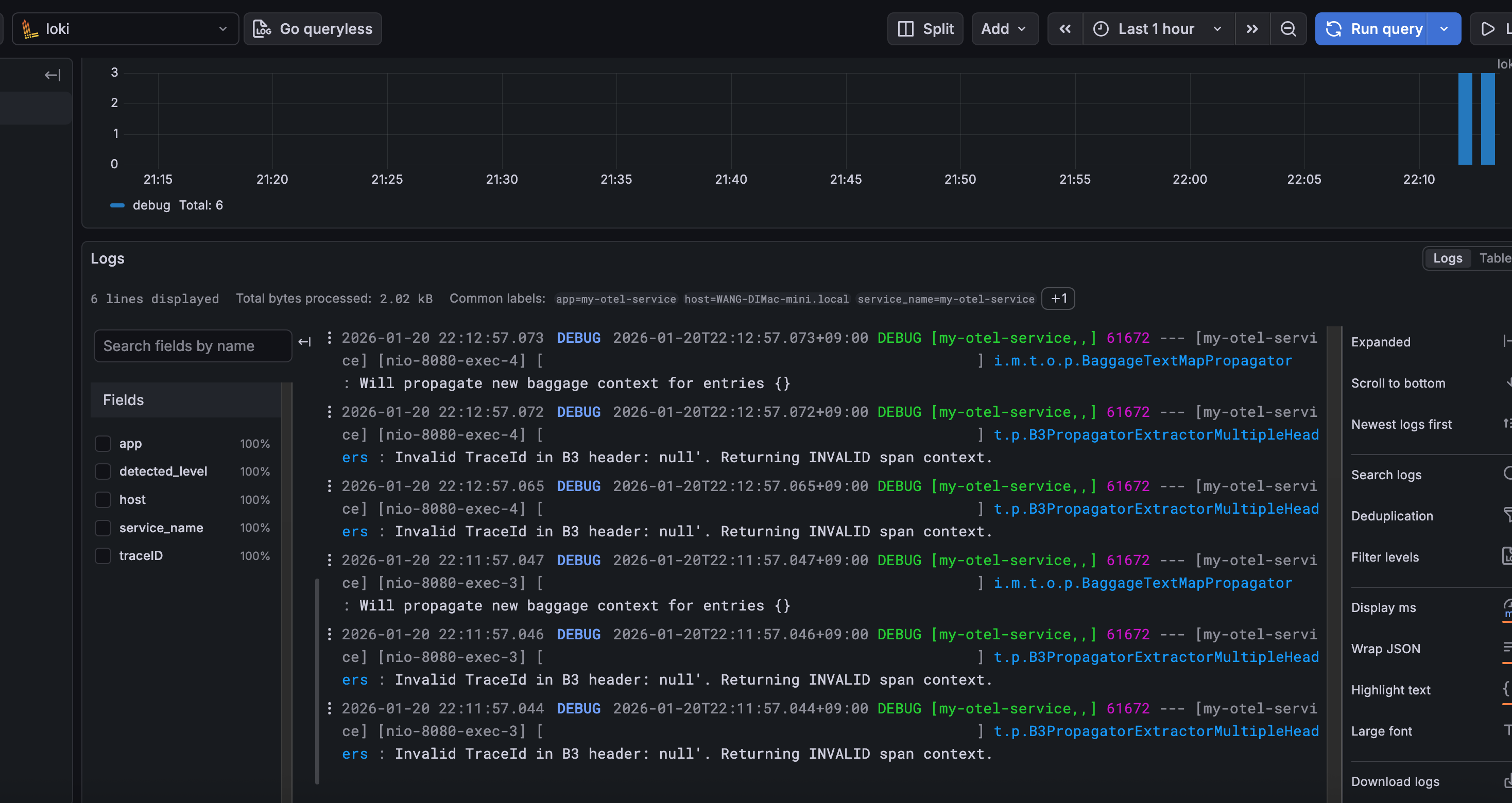
Logs captured by Loki
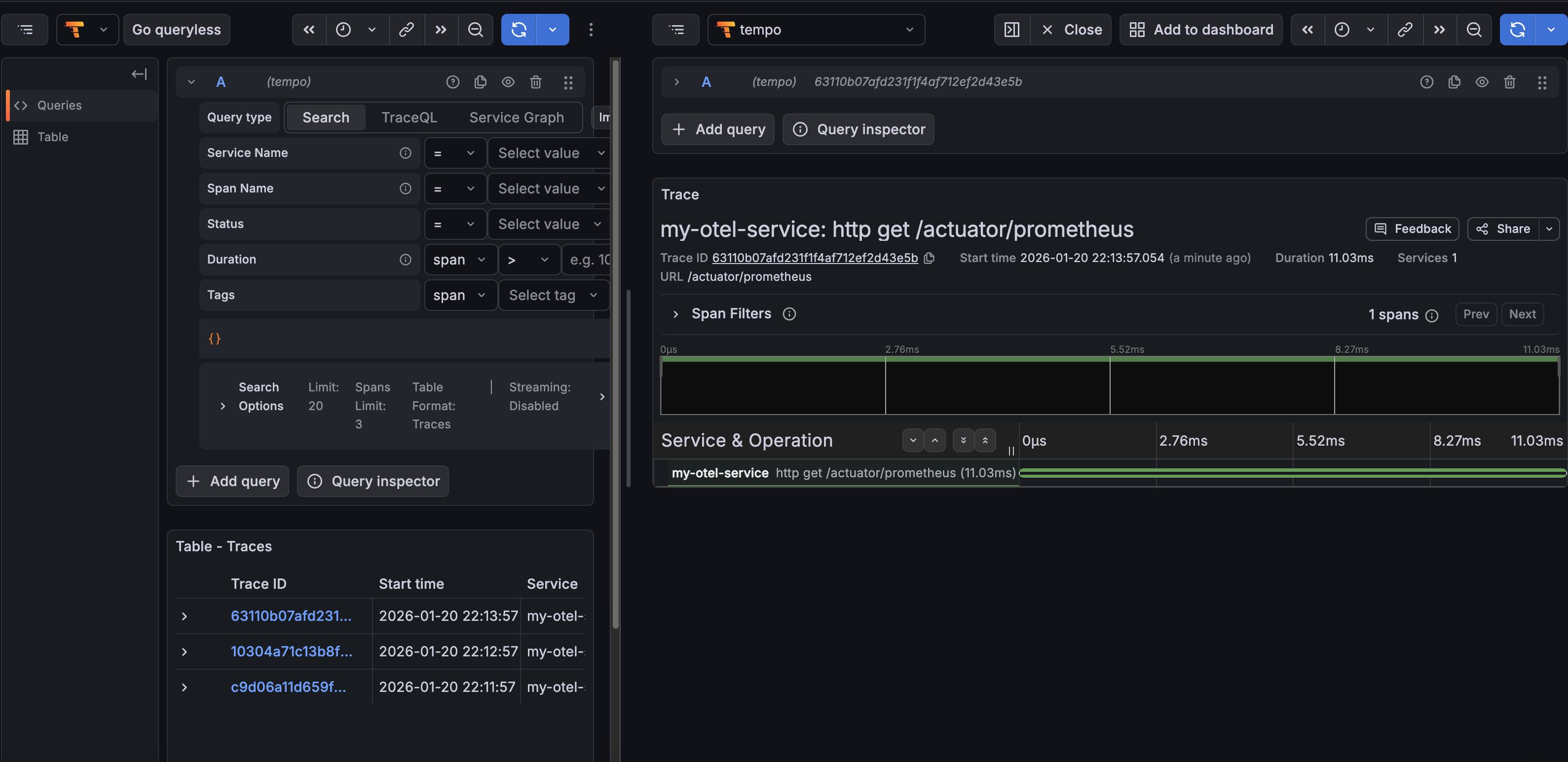
Traces captured by Tempo
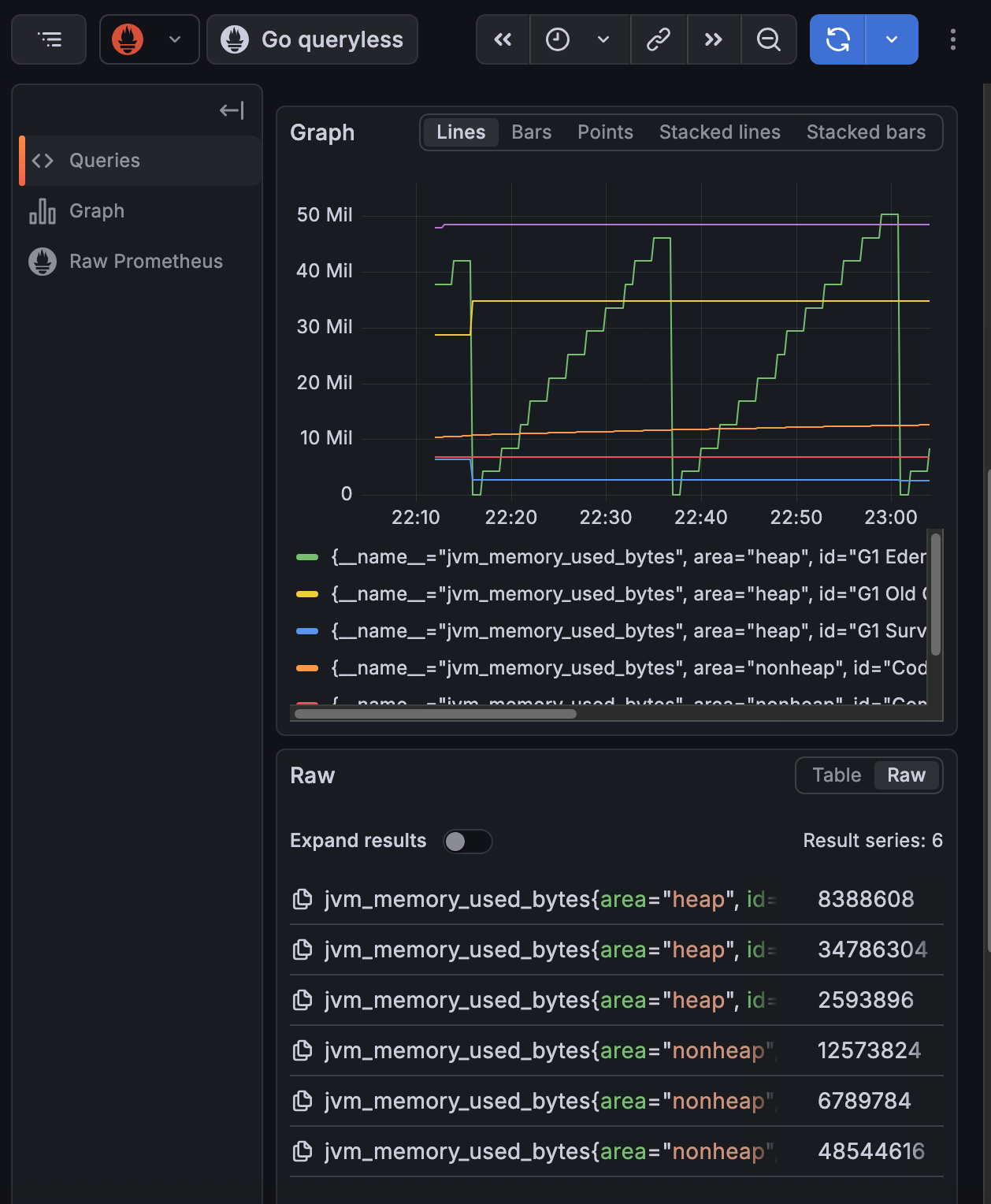
Metrics scpraed by prometheus
Summary
This blog was written around the AI boom(openclaw bot went viral), now everyone even my grandma knows that there is a robot in computer which can do work for human. Even for application like openclaw, or other AI powered app, observerbility is an essential function. We want to know if our LLM is working fine, giving right answer to user and how user feels during their interaction with LLM. DIfferent from traditional software, AI powered software typically lacks certainty, which means no one can assure it will work well all the time. That’s why we want to observe our system, trace down to each of its behavior and make it better and better by keeping the good and improving the bad.